
AI PC Pollution
Crap You Didn’t Want

Simulated Intelligence is creeping into our lives.
Google has added a 4 GB download to Chrome without bothering to notify users. Perhaps that doesn’t bother you, but I’ve got an old computer with very little space left on the C: partition and Chrome doesn’t allow installing somewhere else.
If you don’t want this bloatware it requires a bit of technical work on your end.
First Open a Tab with Chrome “chrome://flags/”
Then find an option “Enables optimization guide on device” and set that to “Disabled”
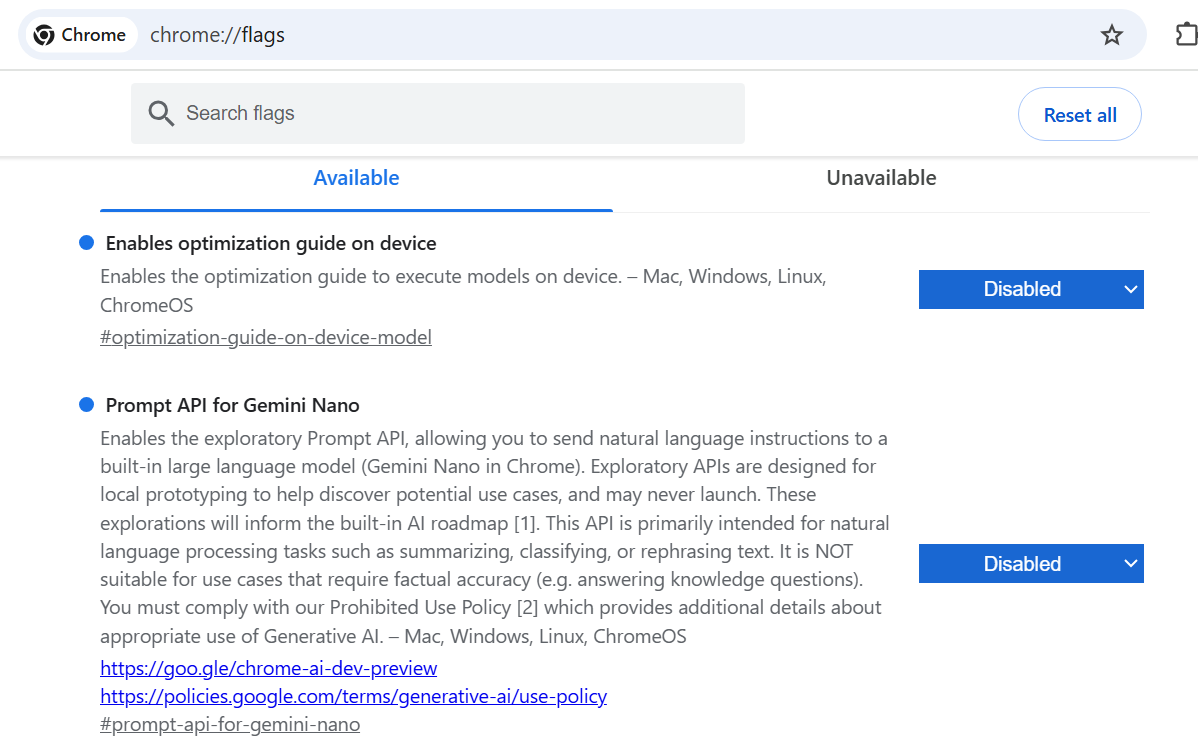
I would also disable “Prompt API for Gemini Nano” as above ^^^.
Restart Chrome, then shut down Chrome.
Then use your file manager (aka “Explorer”) and find a folder:
...\AppData\Local\Google\Chrome\User Data\OptGuideOnDeviceModel
Delete everything inside that.
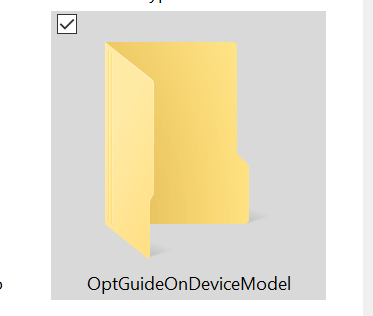
Chrome seems a bit resistant to this so you might have to check again and try again. They may fight against users disabling this so you may also have to revisit this again in the future.
Update: Chrome is definitely fighting this. You might not notice it reappearing again because it may take your system a while to download 4 GB. So far I haven’t found a way to permanently prevent this. I might have to ditch Chrome.
Update 2: Looks like we have to go into geek mode and really fight this:
Update your hosts file with the following lines:127.0.0.1 optimizationguide-pa.googleapis.com
127.0.0.1 optimizationguide.googleapis.com
127.0.0.1 ml.googleapis.com
Restart your computer or open a command prompt in administrator mode and run:
ipconfig /flushdns
Warning: if you don’t know what a hosts file is, you probably shouldn’t touch this (ask your tech savvy child to help you).
Update 3: I set write permissions to deny on the OptGuideOnDeviceModel folder, but all this seems to do is cause Chrome to download the file to a temp file in …\AppData\Local\Temp\chrome_chrome_BITS_14600_641043547 - so that seems to prevent installing but it still wastes 4 GB on your C: drive.
Update 4: I found a website that describes a registry edit (editing your registry is always dangerous) which appears to actually work:
https://pureinfotech.com/stop-chrome-gemini-nano-download-windows-11/
(the same directions work on Windows 10)
Warning: editing your registry is dangerous and can cause your computer (well Windows anyway) to stop working, so make a backup of your registry first, etc, etc, etc (How come I never follow my own advice?)
Pro-Tip: Even if you’ve spent your life (career) doing geeky things, the world is full of curious geeks who almost always have solved such issues before you. Search and copy them. Don’t trust AI. Simulated Intelligence will be happy to tell you how to fix this but confidently will get it wrong (but usually has some great hints toward the right direction.
I don’t use Chrome as my primary browser but there are some websites that won’t work on better alternative browsers.
Thank you! I will do this! And....I hate the auto downloads. 😒